Android Plataforma - Part 3: Sharing Gradle Scripts
By Rodrigo Sicarelli 3 min read Updated
In the previous article, we understood the challenges a multi-module project brings: maintaining and reusing Gradle files. Let us get a better grasp on how to solve this problem by looking at two concepts: buildSrc and Composite Builds.
Understanding buildSrc
buildSrc is a special Gradle convention for organizing and encapsulating code that needs to be shared across several Gradle files. In simple terms, buildSrc is a Gradle project inside your main project.
- When Gradle detects a directory named
buildSrc, it treats it as a standalone Gradle project. - That means
buildSrccan have its ownbuild.gradle, its own dependencies, and even its own tests. - The big magic feature of
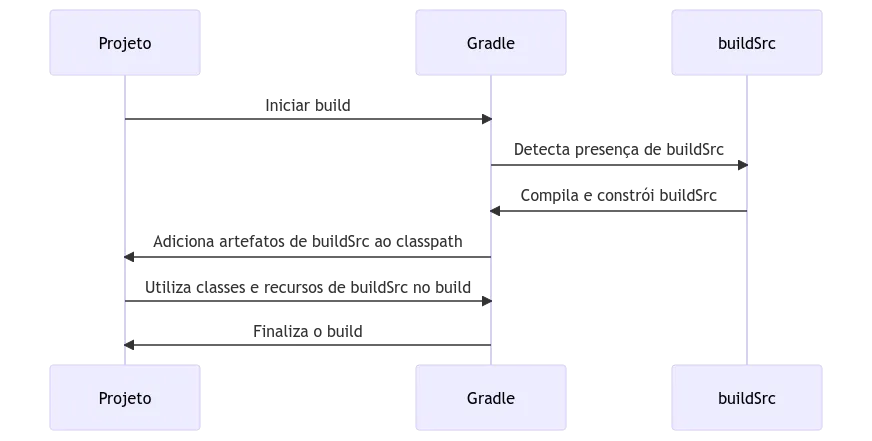
buildSrcis that, when your project’s build starts, Gradle compiles and buildsbuildSrcfirst.
All the artifacts generated by buildSrc (classes, resources, and so on) are then added to the classpath of your project’s Gradle files, letting you reference and use those classes directly in those Gradle files without any extra configuration.
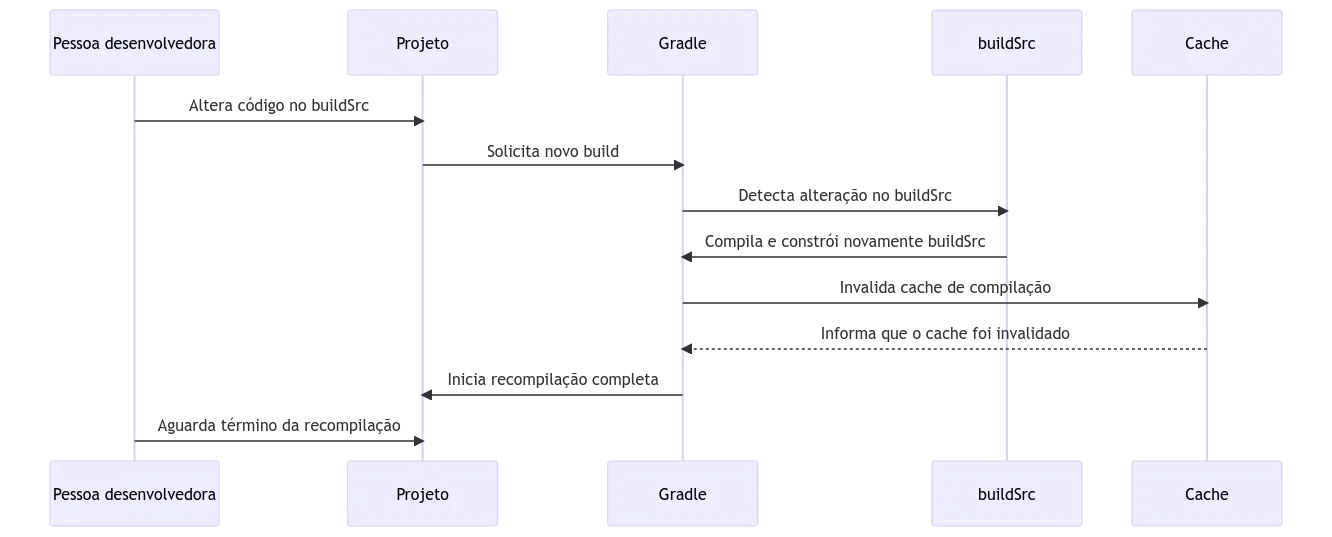
Unfortunately, all these great features come with one big downside: any change inside buildSrc completely invalidates the build cache. This behavior can be especially problematic for larger projects, since invalidating the cache means frequent recompilations, which considerably increases build time.
Composite Builds
While buildSrc serves as a convention for encapsulating shared code, Composite Builds represent an approach that lets you combine several Gradle projects independently yet in an integrated way.
Picture several Gradle projects as standalone vehicles, each with its own purpose and characteristics. Composite Builds are like a car carrier, hauling each “vehicle,” or project, as one cohesive unit, but without taking away the individuality of any of them.
How it works
In a conventional multi-module project, the subprojects share configuration defined by the build.gradle.kts and settings.gradle.kts files at the root. Gradle, however, lets you bring in another project and build it independently, but with integrated configuration. Each project you include has its own build.gradle.kts and settings.gradle.kts files.
This characteristic makes it the ideal candidate for dealing with external libraries, or with project components that operate independently. In recent years, this practice has become more and more common in large open source repositories such as android/nowinandroid, chrisbanes/tivi, signalapp/Signal-Android, slackhq/slack-gradle-plugin, and so on.
Composite Build vs. buildSrc
The main advantage of Composite Builds is how they handle configuration. By moving our logic out of the buildSrc folder, we avoid having internal changes constantly invalidate the build cache. This happens because Gradle treats the Composite Build code as an external dependency, similar to external plugins like the Android Gradle Plugin. This approach optimizes the input and output checks for tasks, ensuring more efficient cache usage.
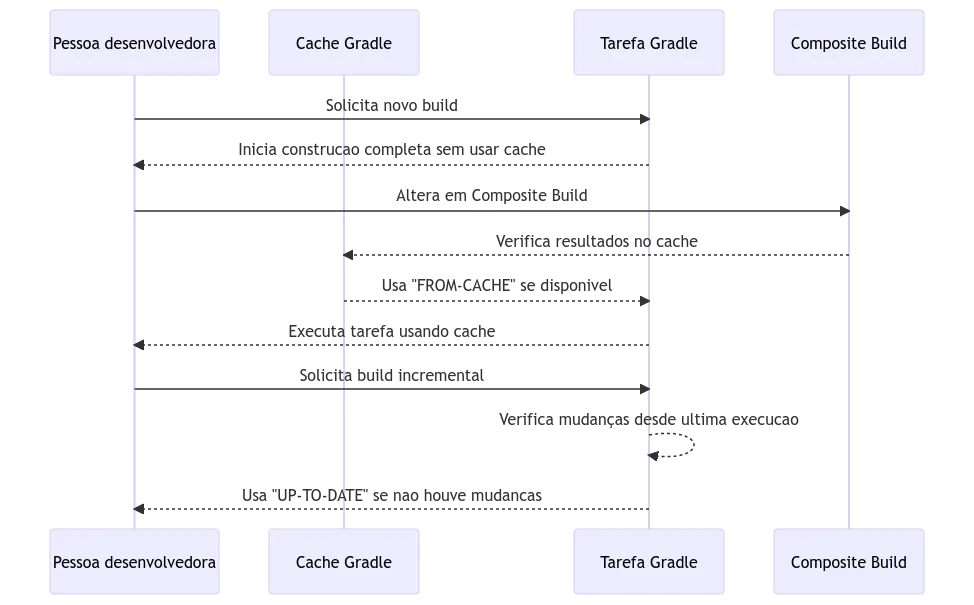
The efficiency of Composite Builds is clearly seen in the way they manage the cache. When a Gradle task uses results saved in the cache, the “FROM-CACHE” status is shown, saving time by avoiding unnecessary rebuilds.
It is important to understand, though, that this cache mechanism is a different concept from “incremental builds.” In an incremental build, if a task detects no changes since its last run, it shows the “UP-TO-DATE” status, indicating that nothing was redone.
Building our platform using Composite Builds
Throughout these articles, we will build our platform using Gradle’s Composite Builds, and incrementally add other features until we have a “robust” platform.